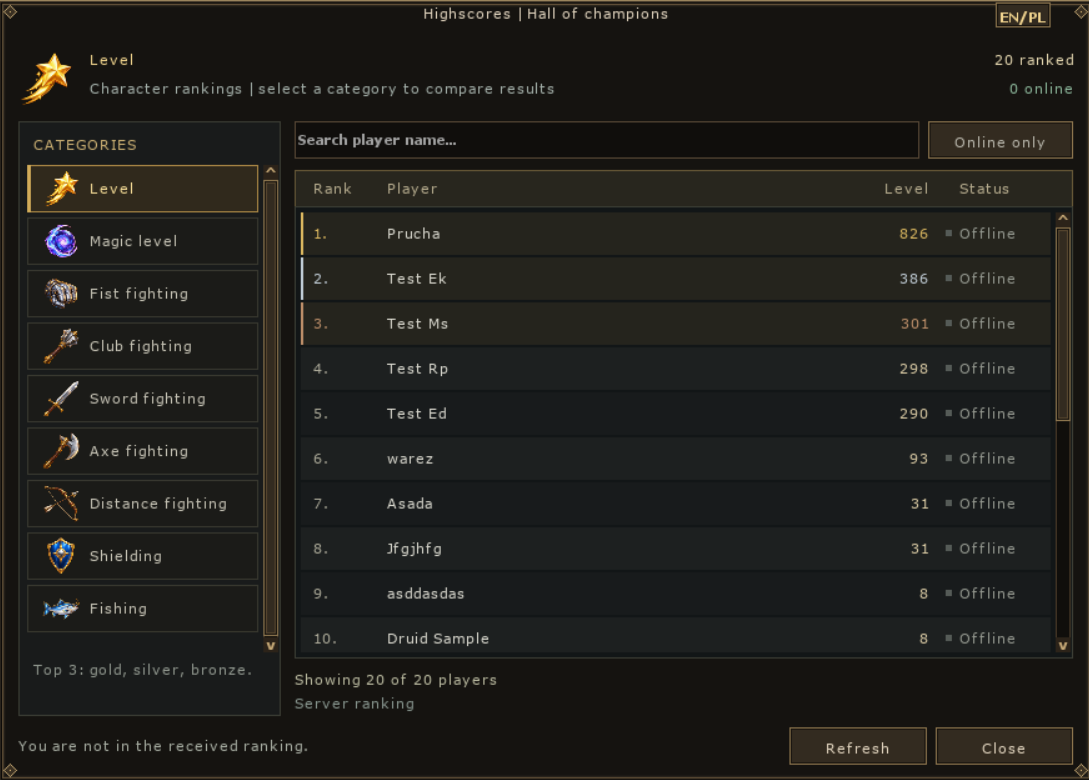
#1
Level 826 · Elite Knight
OLD-SCHOOL SOUL · OPEN PVP · CUSTOM WORLD
Enter a brutal world built around rivalry, hunting and guild warfare. Every death has a name. Every victory leaves a scar.
One weekday for each boss. Polish time.
Four new bosses await their locations. Check availability, stats and exact loot.Server elite
An item that changes your build. A creature worth studying. A hunt that makes you come back for more. Discover what we are building at VeloxOT.
Beta tests — date to be announced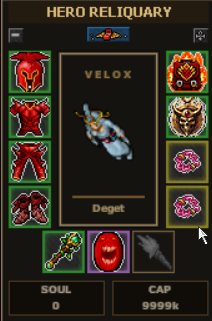
VeloxOT is built around one idea: every hunt should offer more than EXP alone. Discover creatures, complete sets, choose crystals and unlock talents. Here is an overview of our systems, with a few useful tips for your first login.
New client screenshots show these systems in practice. Every image opens at full resolution. Progress, equipment and numbers shown belong to a test character; they do not define starting conditions or fixed rewards for every player.
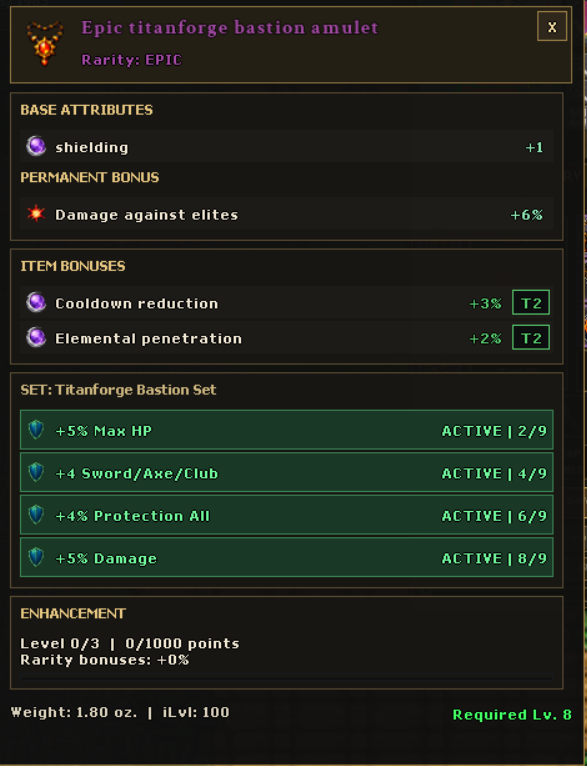
An item's name is only the beginning. Rarity, set bonuses, enhancements and crystals let you develop your equipment in different directions, from damage to survivability.
Items can receive additional, randomly rolled stats. Higher rarity means more bonus rolls. The available pool depends on the item type — not every piece of equipment can roll every bonus.
Possible bonuses include critical hit chance and damage, health, mana, attack speed, skills, magic level, life leech, mana leech, and bonuses to damage or protection.

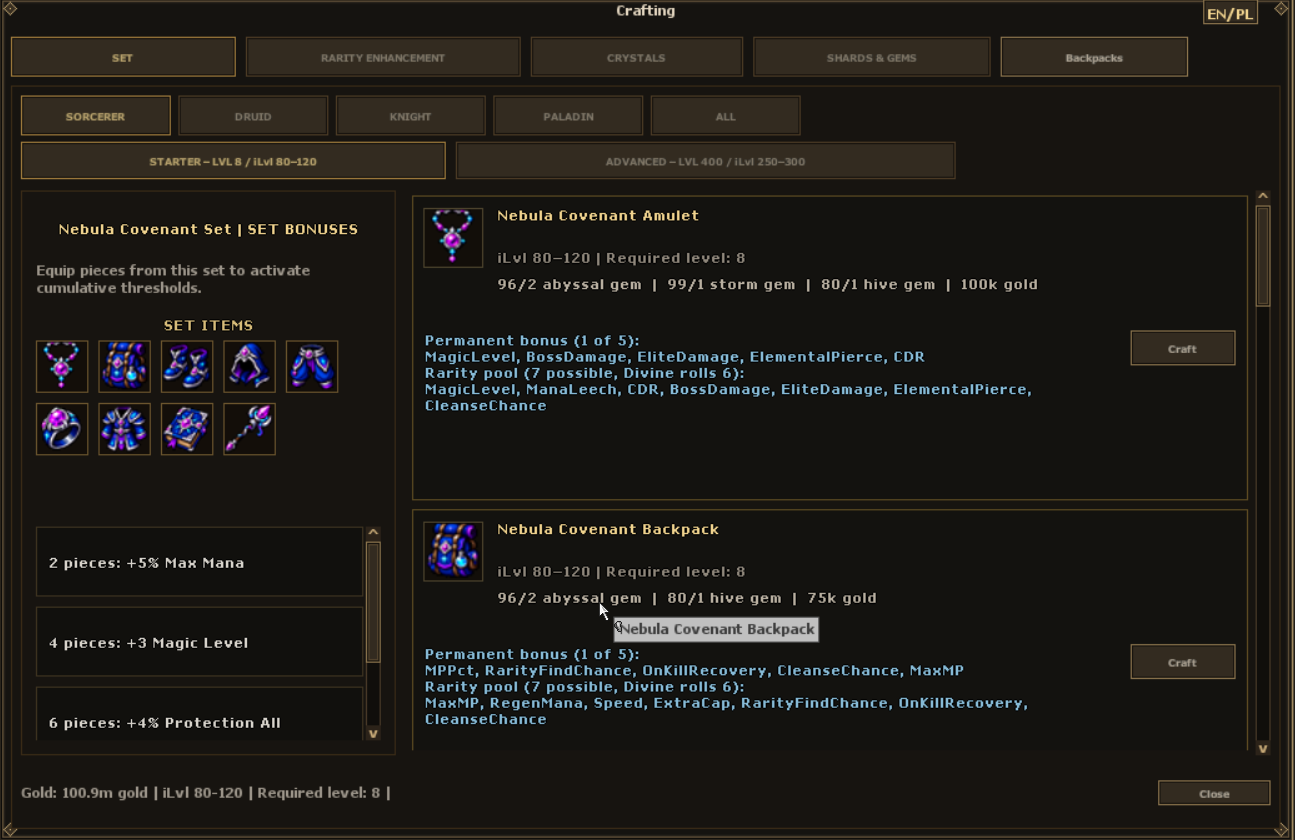
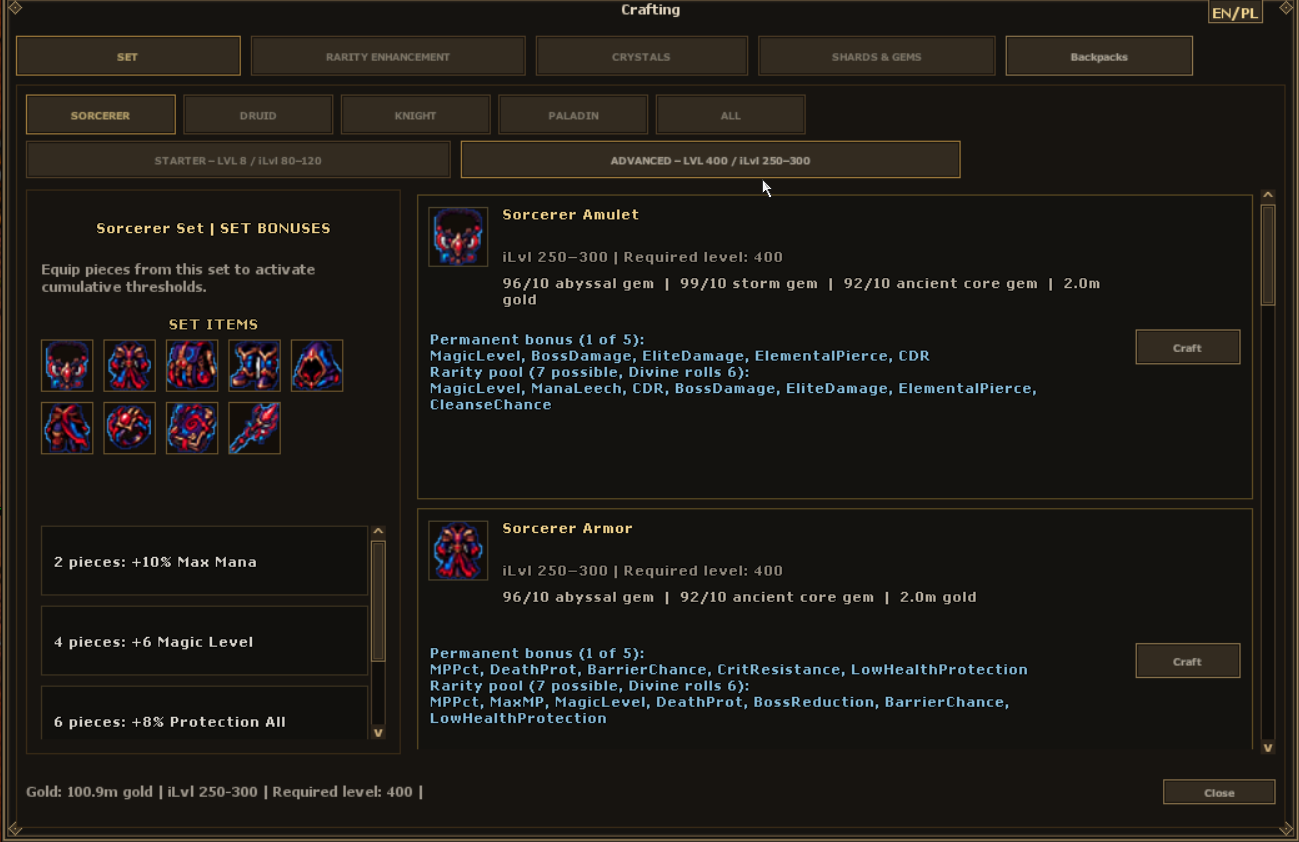
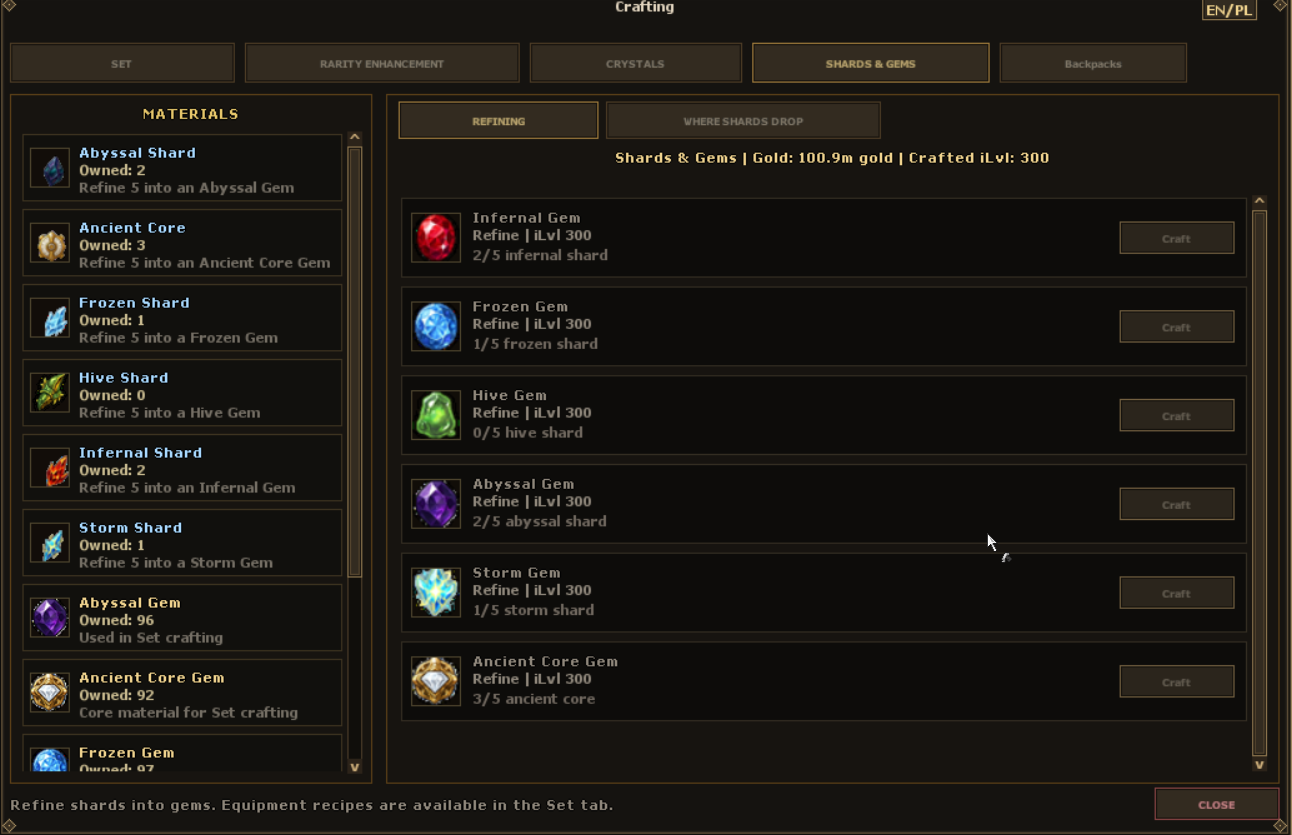
The Crafting window brings together set recipes, rarity enhancement, crystals, and shards & gems. Equipping additional pieces of a set activates its bonuses. Sets include Demon, Aetherwing Sentinel and Primordial Bloom.
Rarity Enhancement strengthens an item's existing rarity bonuses through up to three stars. Select the target item, choose materials from your backpack, review the basket and confirm absorption.

Important: absorption consumes the selected material items, including crystals socketed in them. Always review your basket before confirming. Do not add equipment you want to keep.
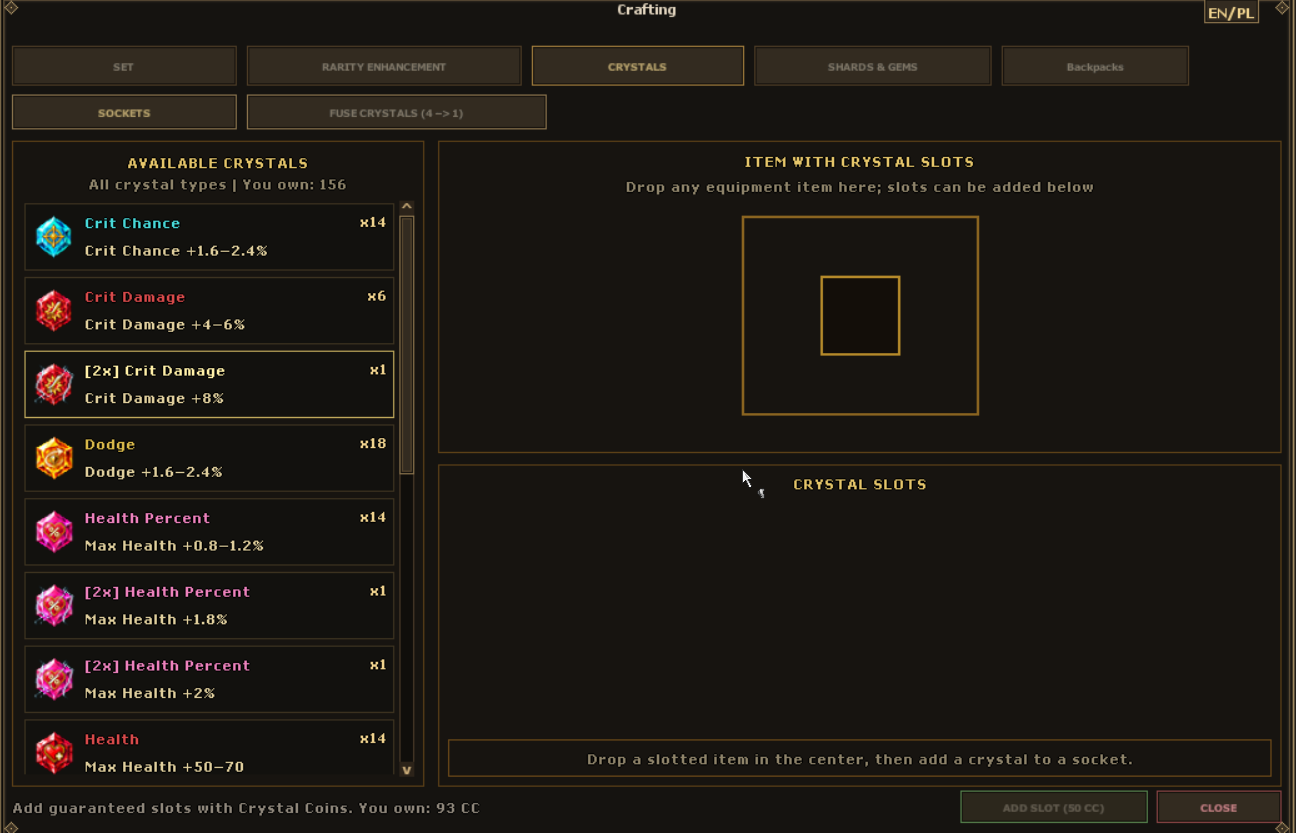
Equipment can have up to six sockets. In the Crystals tab, select an item, add sockets using Crystal Coins and insert crystals. The available types improve critical hits, dodge, HP, mana, movement speed, skills and attack speed.
Attack Speed Crystal adds +1% to regular attack speed; it does not reduce spell cooldowns.

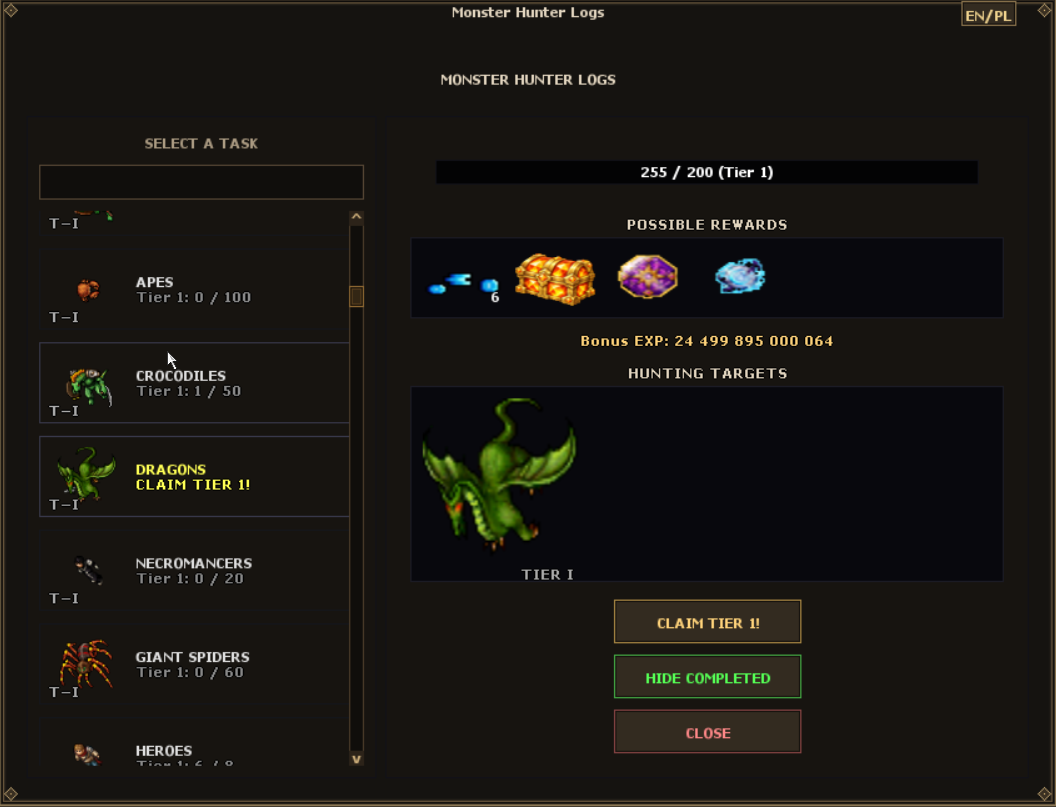
Each box grants one random crystal from the ten available types. Boxes are also rewards for tiers I–III of selected tasks: Demon, Warlock, Dragon, The Fettered Shatterer, Embermaw Fiend and Deepling Tyrant.
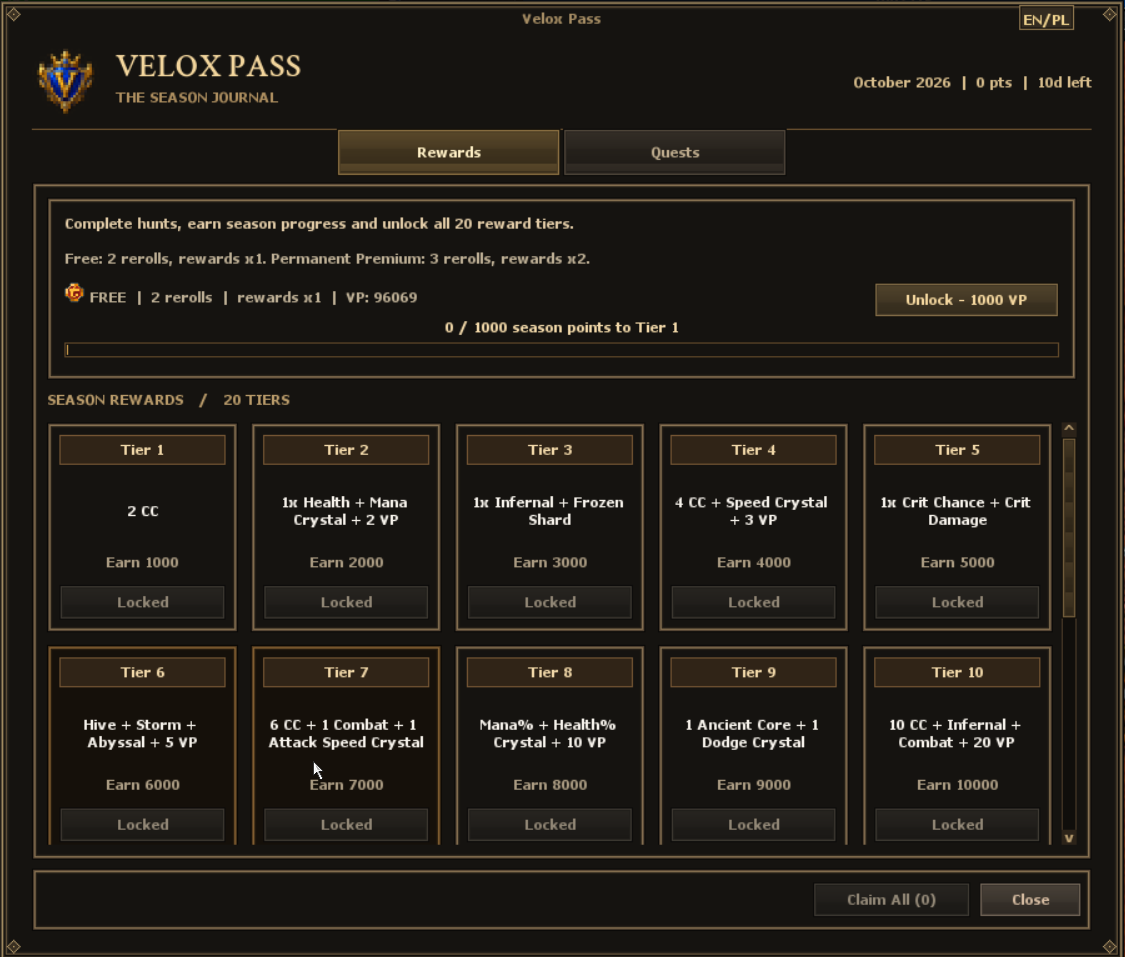
Look out for Velox Pass rewards as well, including an attack speed crystal.
Bonuses below are for one socketed crystal. Names match the in-game items so you can identify them easily.

Critical hit chance +2%.

Critical damage +5%.

Dodge chance +2%.

Maximum health +1%.

Maximum health +60 HP.

Maximum mana +1%.

Maximum mana +60 MP.

Movement speed +10.

Combat skills +1.

Regular attack speed +1%. Does not reduce spell cooldowns.
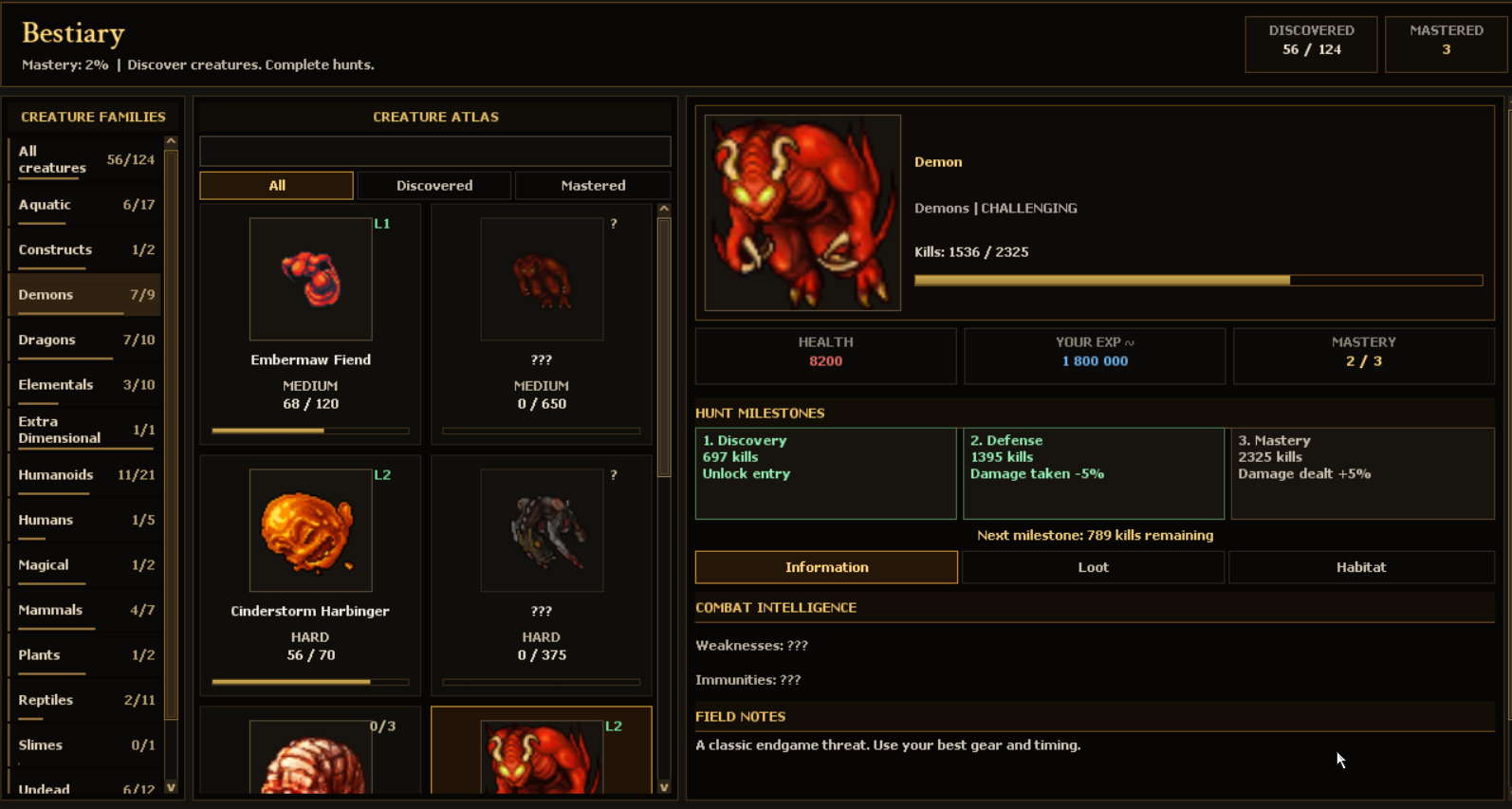
Discovering creatures and defeating them develops your Bestiary entries. Track progress and review known loot, weaknesses and immunities as you unlock them. Mastery levels also provide benefits when fighting that creature.
YOUR EXP is an estimate for the character viewing the entry, taking factors such as the current experience stage and stamina into account. It helps you choose a hunting ground, but is not a guaranteed result in every situation, such as a party hunt.
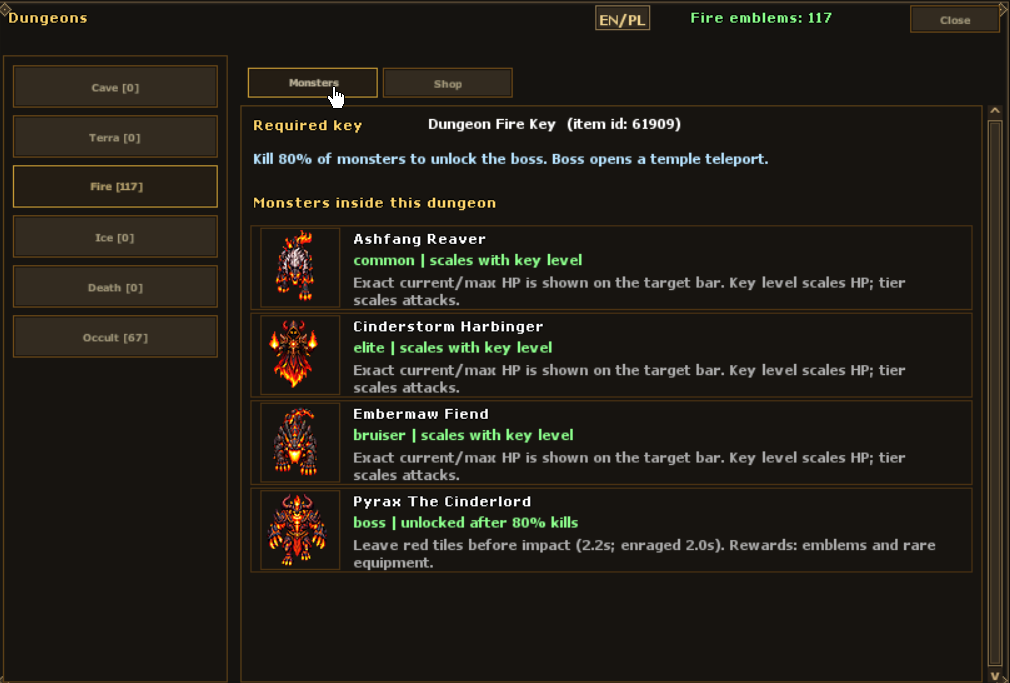
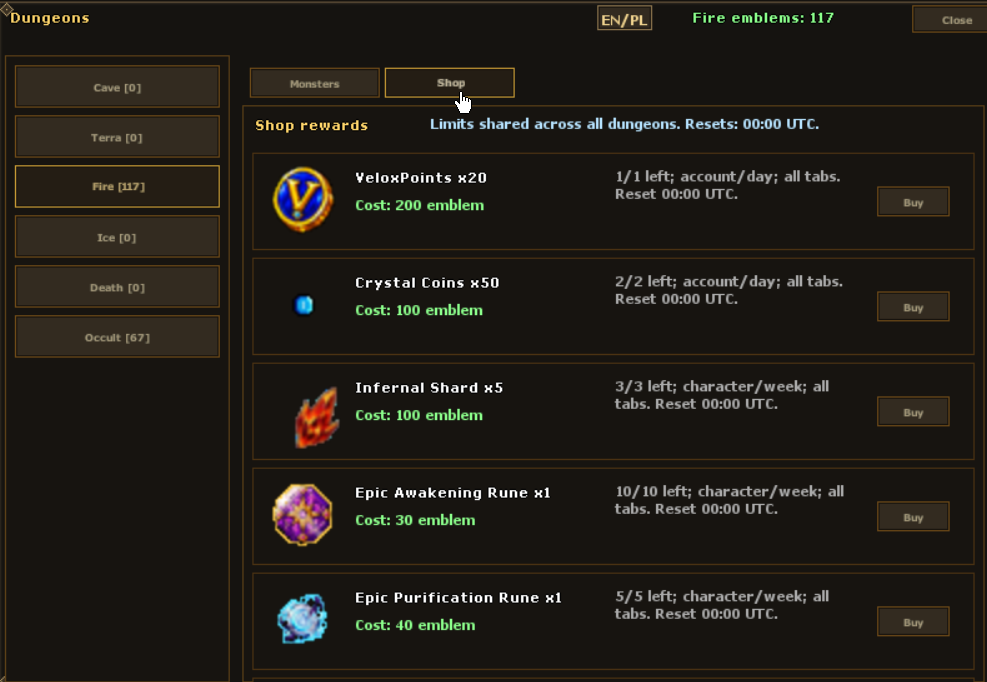
Dungeon runs have their own keys, enemies, bosses and on-screen progress. Explore Cave, Terra, Fire, Ice, Death and Occult themes. Spend your Dungeon Emblems in the reward shop.
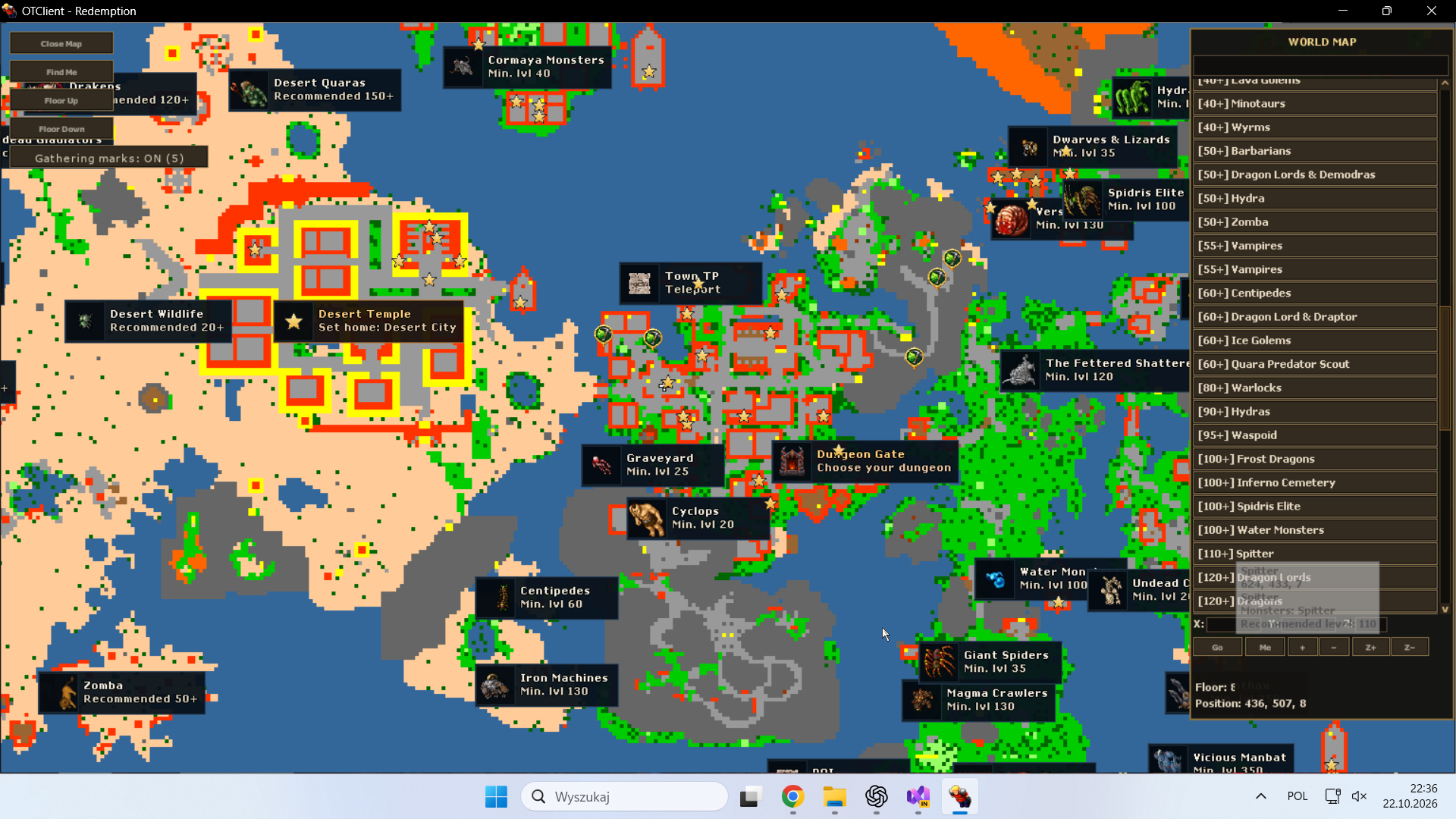
The Fettered Shatterer, Embermaw Fiend and Deepling Tyrant are examples of encounters to put on your list. Minimap markers show hunting locations and level guidance, making your next trip easier to plan.


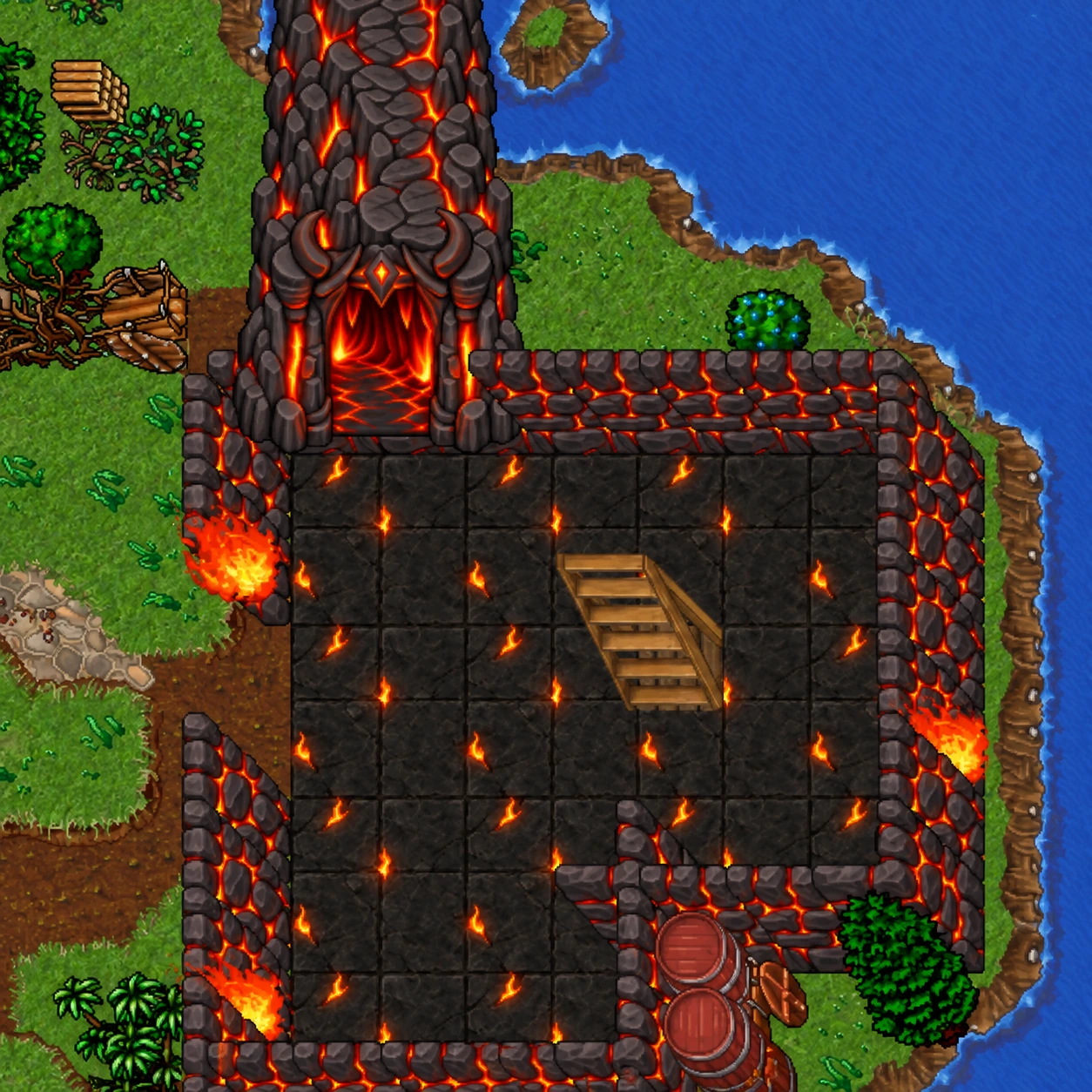
Click the volcanic entrance gate to open the dungeon panel. Choose a key type and level, preview the monsters and boss, and check how many maps are available.
Press “Go to dungeon” to begin the 3-second countdown. You can switch between English and Polish in the panel. This is the shared entrance, not the boss gate inside a dungeon.
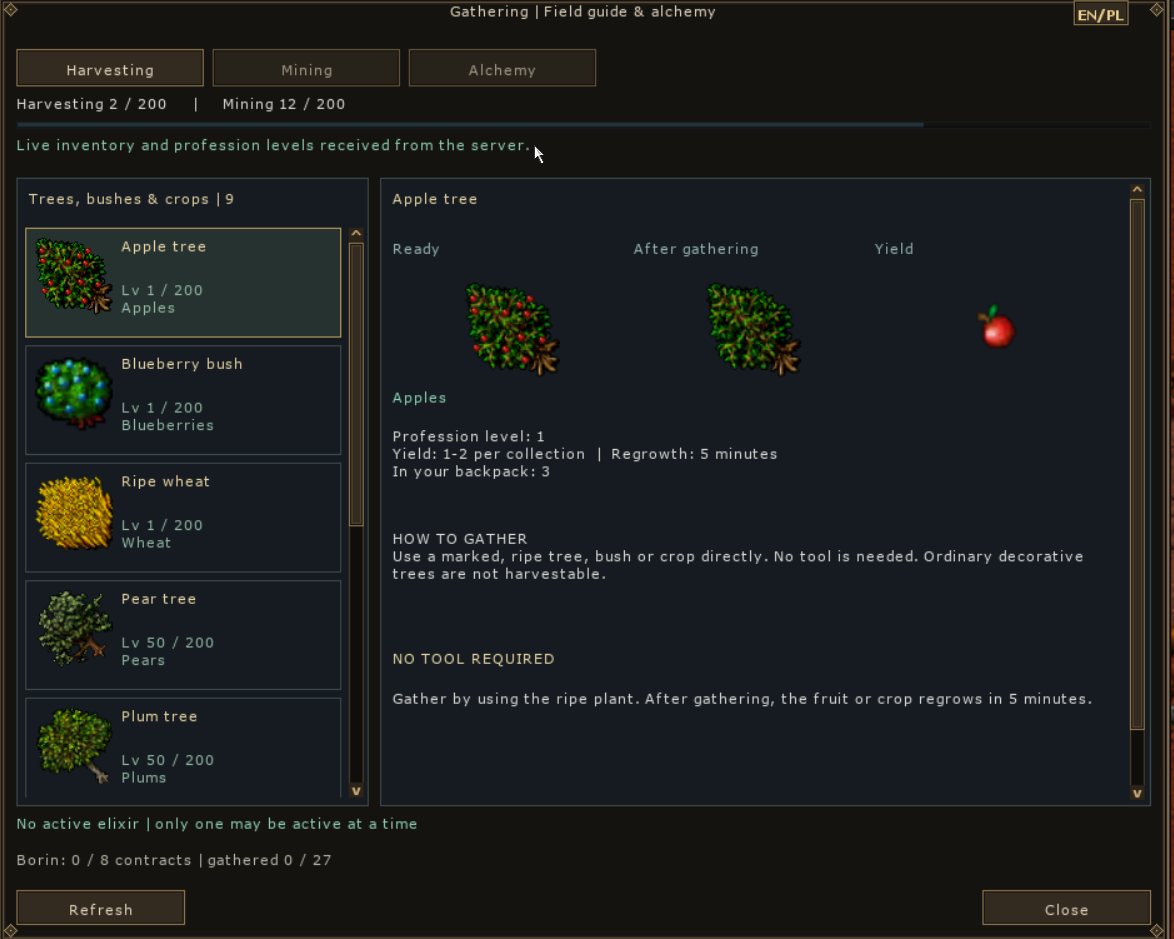
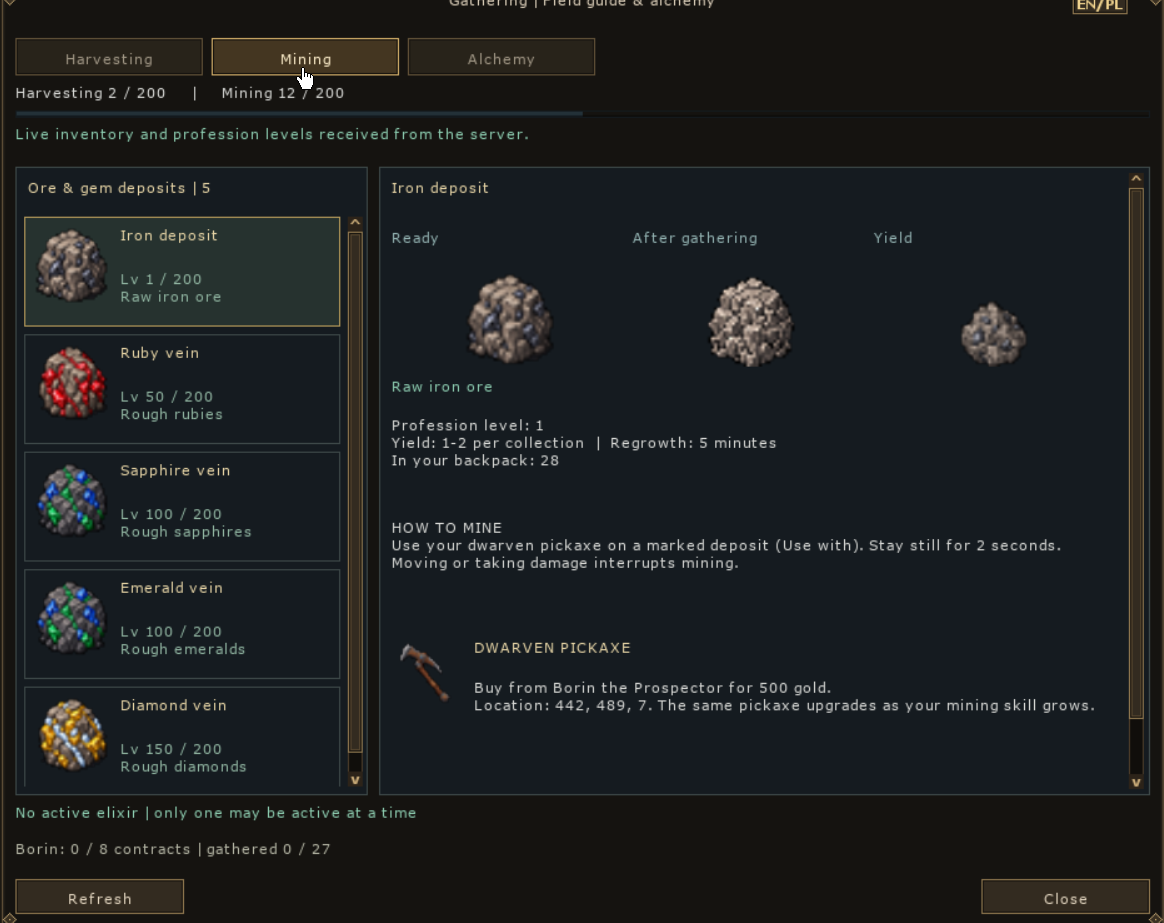
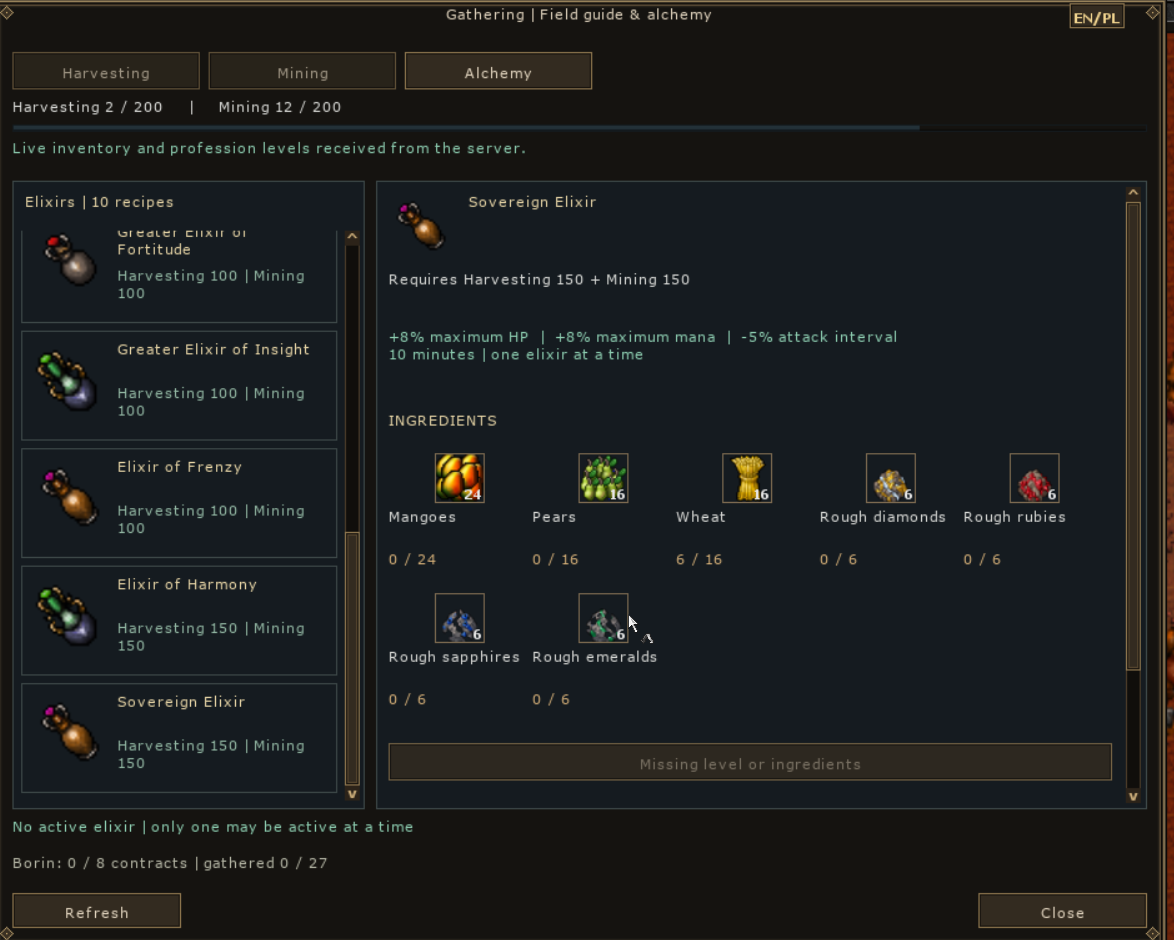
Open Gathering to browse 9 plant types, 5 deposit types and 10 elixir recipes. Harvest plants without a tool and mine deposits with a pickaxe. Resources go straight into your backpack; a full backpack prevents collection without dropping the yield on the ground. Plants and deposits regrow after five minutes.
Mining and harvesting progress separately, up to profession level 200. Tier-I resources give half their original XP from level 50, level-50 resources from 100, and level-100 resources from 150. At 200, profession progression stops but gathering remains available. Percentage progress depends on your current level. Blueberries give less XP than other basic plants.

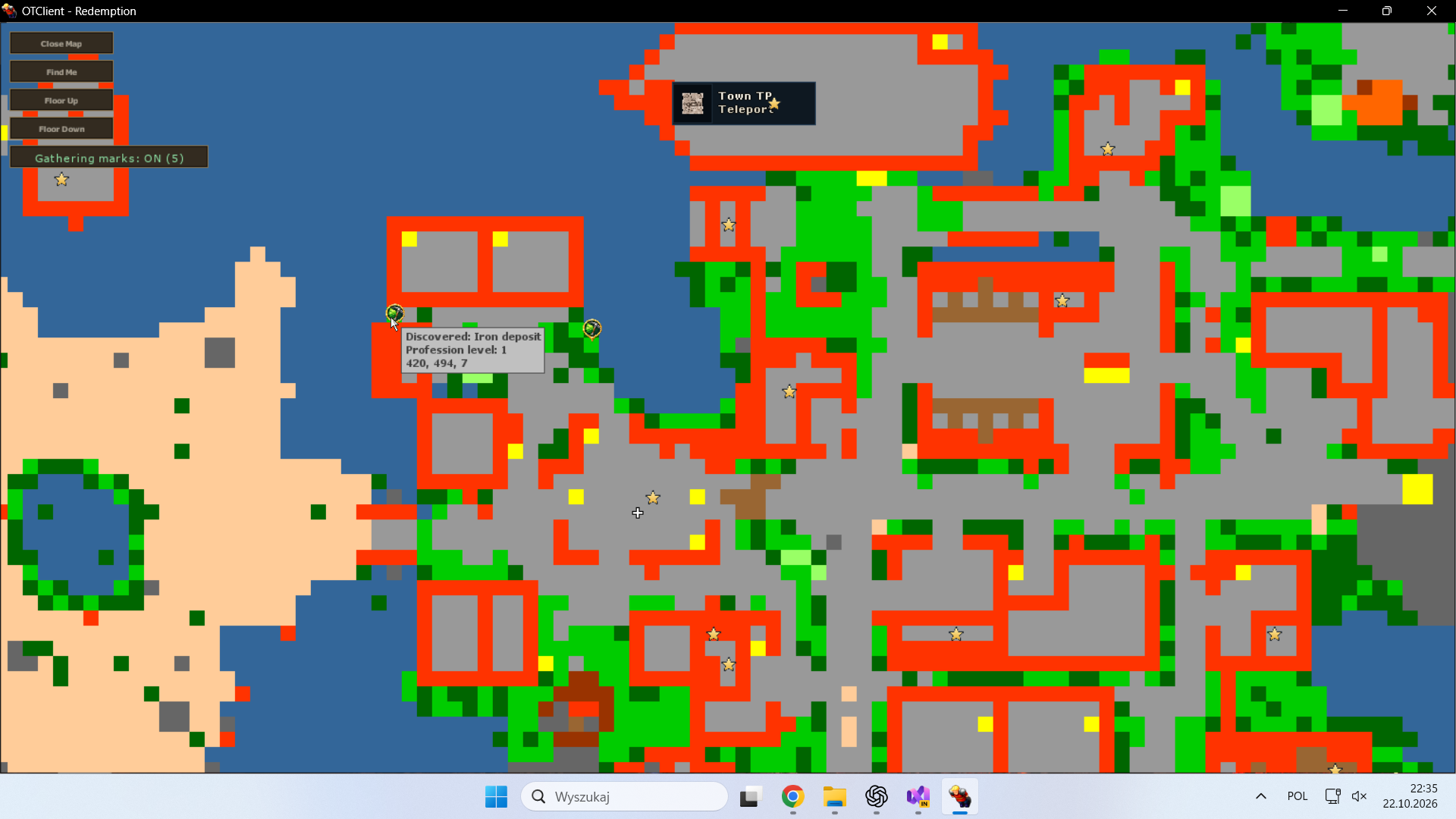
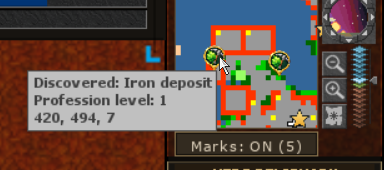
Successful collection saves the location account-wide and synchronizes map markers after ten seconds, without opening Gathering. Other characters on the same account also see discovered locations. Toggles beside the minimap and on the full map hide or show this layer without deleting discoveries.
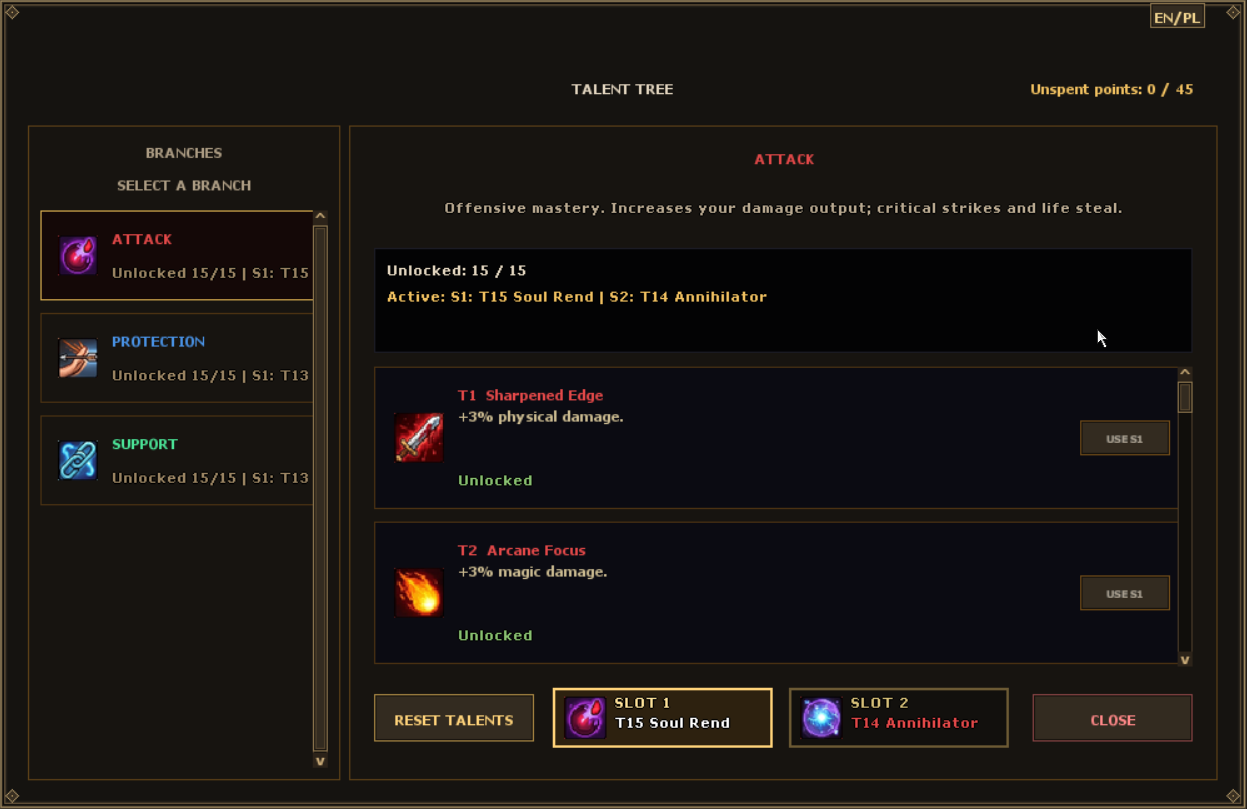
You earn one talent point every 20 levels. The three branches — Attack, Protection and Support — each contain 15 talents. At level 500, you have earned 25 points from levels: enough for one full branch and ten talents in another.
Unlock new options and choose talents for your active slots. When you have unspent points, the menu icon shows their number and highlights Talents.
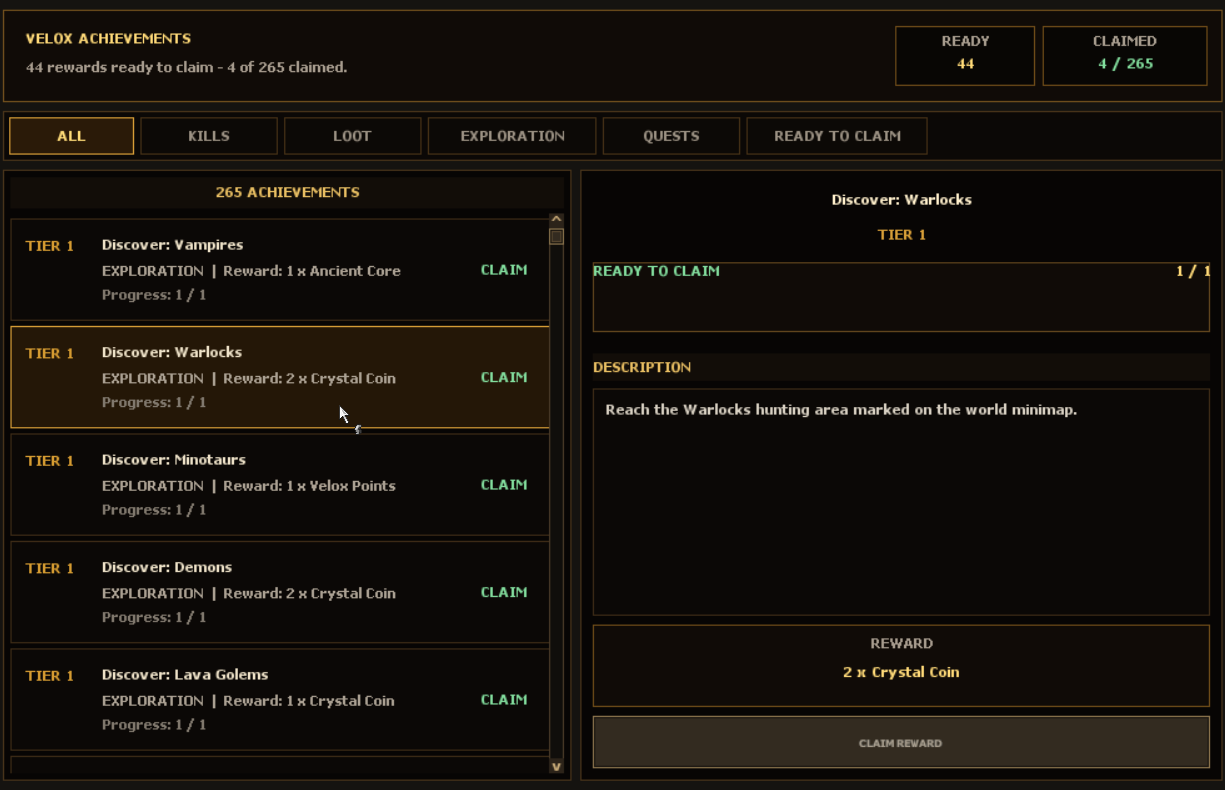
Hunting, looting, exploration and quests have their own goals. Follow your progress in the achievements window and claim your reward when you meet the requirements. Depending on the achievement, rewards can include coins, materials or crystals.
Multi-tier tasks give you a reason to revisit favourite hunting grounds. Check each stage's goals and rewards, and claim rewards for your progress in Velox Pass.
Each vocation has a unique support spell that can be cast on yourself or another player — including other vocations. Here are the spell names, their effects and the same icons shown in your client's active-effects bar.

+20 HP and +20 mana per second
Health and mana regeneration for you or an ally.
utura sioBase cost: 90 mana
+8% to all damage
Increases damage dealt — not just magic damage.
utori sioBase cost: 90 mana
5% reduction to all damage taken
Strengthens the protection of the player receiving the buff.
utito sioBase cost: 60 mana
+5 percentage points of critical chance
Adds 5 percentage points to your critical hit chance.
utani sioBase cost: 70 manaAdd the recipient's name after the spell words, for example utura sio "Name". Use your own character name to buff yourself, or another player's name to support them. These spells target players, not monsters.
Different buffs can be active together. Recasting the same buff refreshes its duration instead of increasing its strength. Hover over an active-effect icon in the game to see its name, bonus and remaining time.
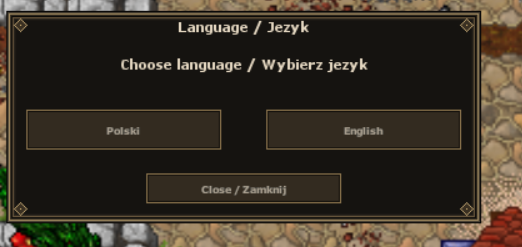
The client offers two languages: Polish and English. Your choice applies to most of the interface — menus, buttons, system descriptions and supported windows. Choose the language you are most comfortable with.
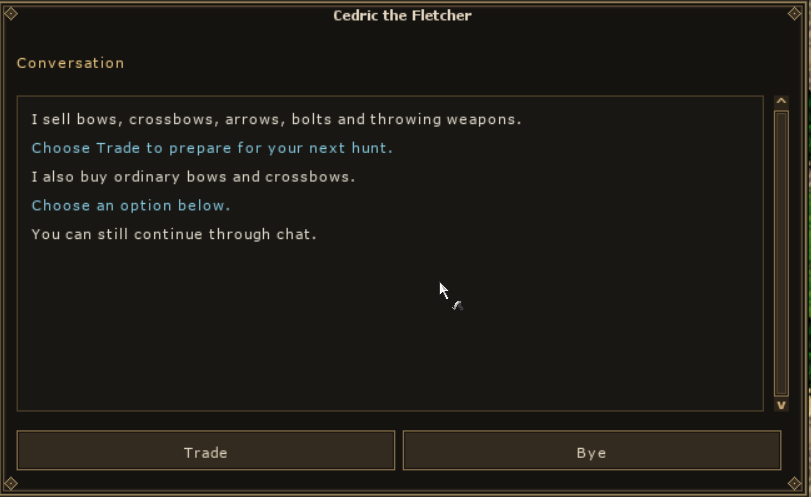
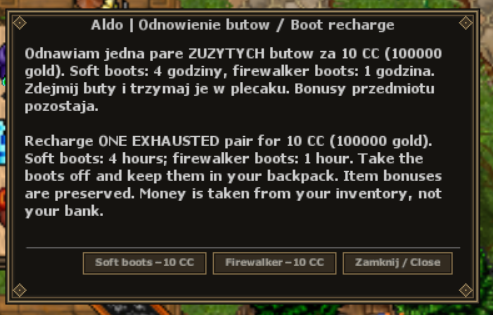
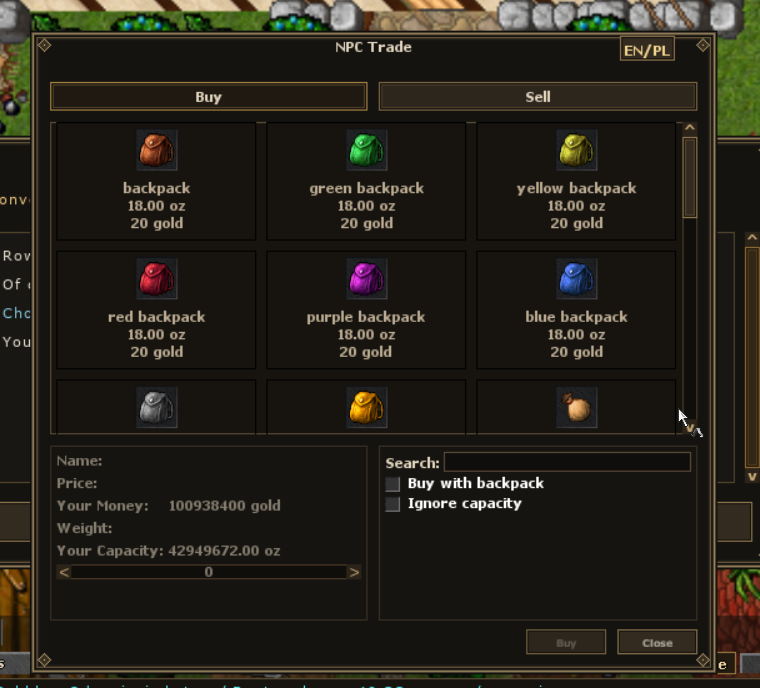
Your choice also applies to supported NPC conversations and trade windows. With Polski selected, translated NPC dialogue and options appear in Polish; with English selected, they appear in English. Some proper names, item names and text not yet translated may remain in English.
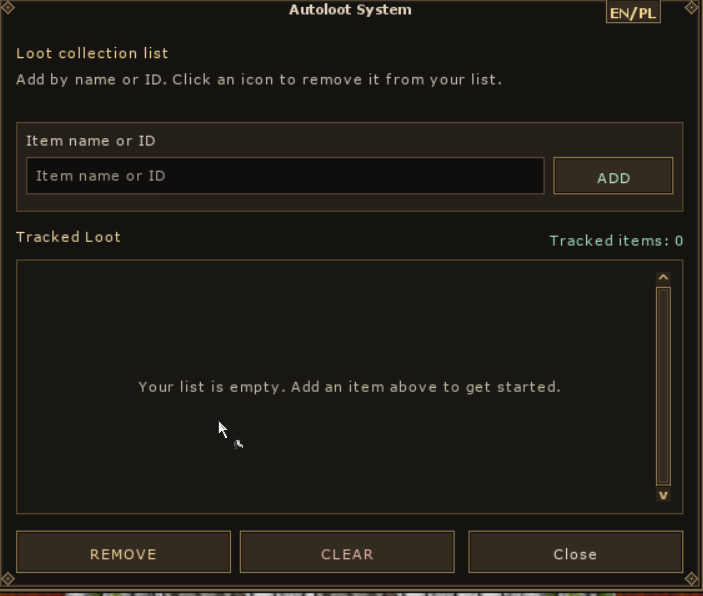
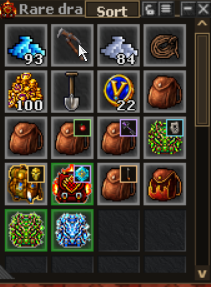
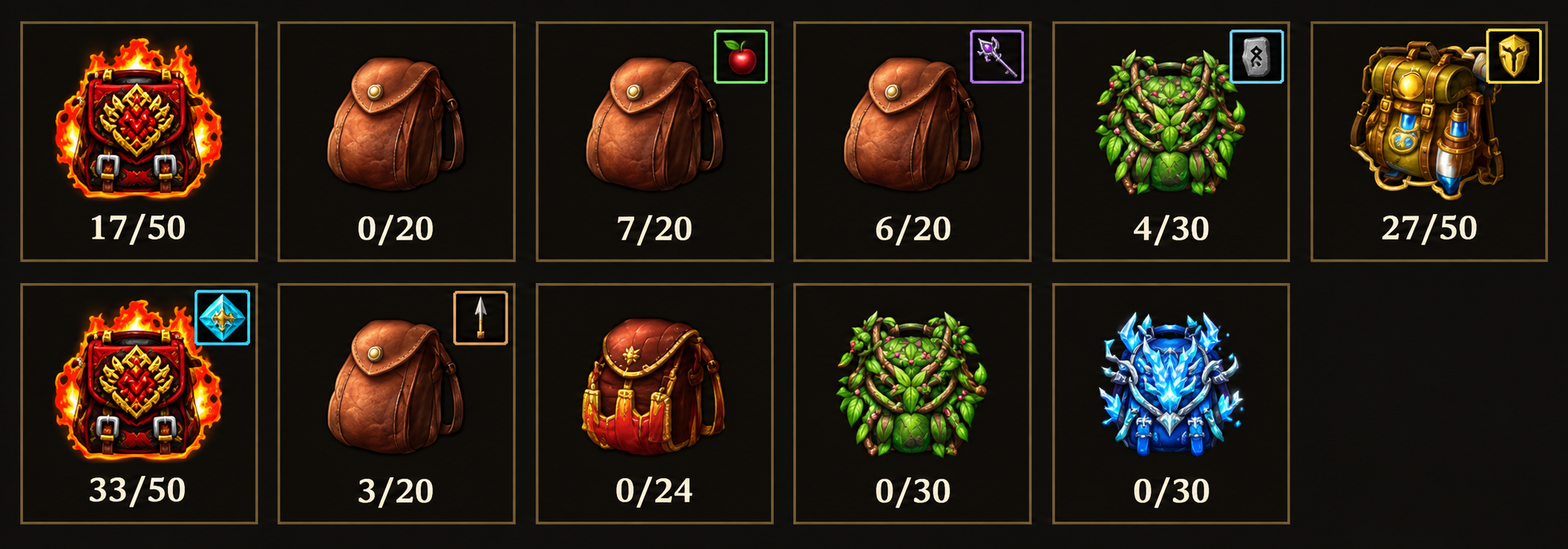
Open Crafting → Backpacks, select a carried backpack and assign a category for 1 Crystal Coin (10,000 gold). Set up dedicated backpacks for equipment, runes, upgrade materials (crystals, shards and gems), harvesting and mining resources, dungeon keys or ammunition — all arrows and bolts.
Matching collected loot goes into its category backpack when space is available. The Sort button in the top bar of an open backpack sorts items alphabetically by name (A–Z) across all carried backpacks, including closed ones. It also works with ordinary backpacks without an assigned category; specialised backpacks follow their category rules. Items are actually moved, not just displayed in a different order. Purchased ammunition and resources obtained from mining or harvesting also use the assigned categories.
Assigning or changing a category costs 1 CC per backpack; removing a category is free. This specialises a backpack rather than increasing its capacity. Keep enough free space — backpacks do not have unlimited slots.
Create offers and trade with other players. Choose how many units to sell when adding an offer — you do not have to list the entire stack. Max selects all available units.
Total price is the price of the whole offer, not a single unit. Check both quantity and price before confirming.

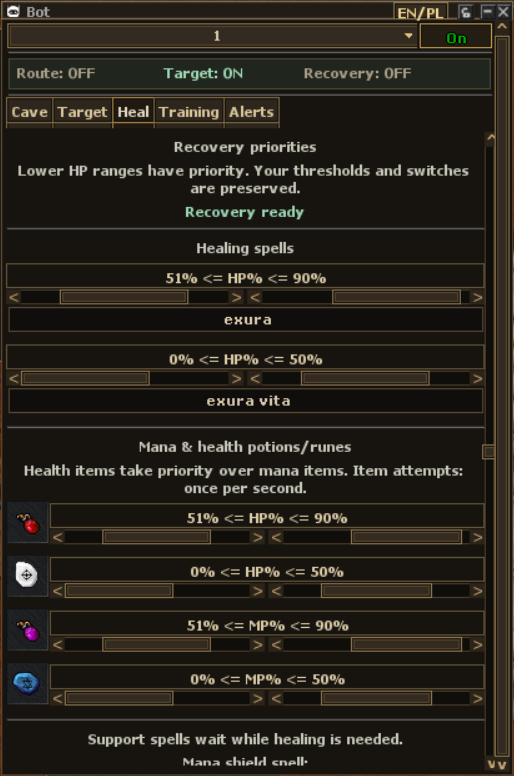
The prepared client bot has profiles 1–10 and the Cave, Target, Heal, Training and Alerts tabs. Keep different settings for different characters and hunts.
The official panel does not offer importing other bot versions or custom scripts. Its feature set is fixed. The bot is still being refined during testing.
Clearer combat: damage number sizes distinguish regular hits from critical hits. On training targets, Damage Meter helps compare five-second damage totals, DPS and best hits.
Smaller numbers show lower hits, larger numbers highlight stronger hits, and criticals stand out most. This Knight test recording shows the updated damage display in action.
| Spell / words | Vocation and requirements | Range and effects | Base cost |
|---|---|---|---|
Prismatic Chainexori gran vis | Master Sorcerer / Elder DruidLvl 100 · ML 50 · Premium | First target: 3 tilesRandom damage type per target: energy, death, fire or ice. | 60 manaCooldown: 1 s |
Divine Chainexori gran san | Paladin / Royal PaladinLvl 100 · Premium | First target: 4 tilesHoly damage; each hit has a 20% chance to deal physical damage. | 20 manaCooldown: 1 s |
Whirlwind Chainexori gran hur | Knight / Elite KnightLvl 100 · Premium | First target: 5 tilesPhysical damage. Requires a sword, axe or club. | 40 manaCooldown: 1 s |
Select the first target. The spell can then bounce to two additional, distinct monsters (not summons), up to 3 tiles from the previous target, at 0.2-second intervals. Walls block bounces; protection zones, teleports and floor-change tiles are excluded. Each target can be hit only once. Damage does not decrease on later bounces. Base spell and group cooldown: 1 s.
| Spell / words | Vocation and requirements | Range | Base cost |
|---|---|---|---|
Druidic Energy Stormexevo grav mas vis | Druid / Elder DruidLvl 60 · ML 40 | Up to 5 tiles from the casterRounded area: 11 × 11 | 1200 mana |
Energy Cataclysmexevo gran mas vis | Sorcerer / Master SorcererLvl 60 · ML 40 | Up to 5 tiles from the casterRounded area: 11 × 11 | 1200 mana |
Divine Drainexevo gran mas drin | Paladin / Royal PaladinLvl 150 · ML 25 | Up to 5 tiles from the casterRounded area: 11 × 11 | 2500 mana |
Arcane Groundshakerexori gran mas vis | Knight / Elite KnightLvl 200 · ML 10 | Up to 3 tiles from the casterRounded area: 7 × 7 | 33% max. mana |
Death Cataclysmexevo gran mas mort | Master Sorcerer / Elder DruidLvl 250 · ML 100 | Up to 5 tiles from the casterRounded area: 11 × 11 | 3200 mana |
All five spells are centred on the caster. Dimensions describe the bounds of a rounded area, not a solid square of hits; walls can restrict coverage. Base spell and group cooldowns are 1.1 s. The Knight spell requires a weapon. In the current configuration, these five spells deal physical damage regardless of effect colour.
Each target receives an independent roll of 90–110% of the spell’s base value. That base scales with character level and the relevant skill or magic level. Talents, equipment, criticals and target defences change the final result, so there is no single fixed damage range for every character.
Click Emote next to chat to see the available icons and shortcuts. Pick one from the list or type its code: <3 for a heart, :) for a smile, or :wave: to say hello.
Emotes are supported in chat and speech above characters. It is a small addition that brings more colour to conversations around town.
Outfits and addons are only the beginning. Personalise your character with wings, auras, shaders and mounts. The Hero Reliquary preview refreshes your outfit after appearance changes.
